Malware Defense Standard Operating Procedure
This is written as a standard operating procedure on understanding malware, the threat actors, how to prevent them, detect them, respond to them, and worse case scenario, to recover from scratch.
1. Purpose & Scope
This Standard Operating Procedure establishes operational protocols for identifying, preventing, containing, and remediating malicious software (malware) infections across organizational endpoints and network infrastructure. It covers threat classification, initial access controls, monitoring procedures, incident response workflows, and system recovery validation.
2. Threat Actor Profiles & Malware Classifications
2.1 Primary Threat Actor Profiles
- Cybercrime Syndicates: Financed operations focused on monetary extortion, credential harvesting, and ransomware deployment.
- State-Sponsored Actors: Advanced Persistent Threats (APTs) targeting intellectual property, espionage, and critical infrastructure disruption.
- Hacktivists: Ideologically motivated actors targeting service availability and public-facing assets.
- Insider Threats: Authorized users exploiting elevated access for data exfiltration or unauthorized execution.
- Script Execution / Amateurs: Low-skill actors deploying commercial off-the-shelf (COTS) malware kits or automated exploits.
2.2 Malware Classifications & Behavioral Signatures
| Malware Type | Mechanism of Action | Primary Operational Risk |
|---|---|---|
| Virus | Attaches to clean host executables; executes and self-replicates upon host file execution. | File corruption, host instability, system configuration changes. |
| Ransomware | Encrypts local and network-attached file systems; may perform data exfiltration prior to payload activation. | Operational halt, data loss, extortion threat. |
| Trojan | Disguised as legitimate utility software; establishes remote access backdoors or secondary droppers. | Unauthorized access, persistent remote control, payload delivery. |
| Worm | Standalone malicious process; exploits network protocols to spread laterally without user interaction. | Network congestion, rapid multi-system compromise. |
| Spyware / Infostealer | Captures keystrokes, browser tokens, system telemetry, and stored credentials quietly. | Credential theft, session hijacking, regulatory breach. |
| Rootkit | Installs at kernel or firmware levels; hides malicious processes and sockets from OS APIs. | Complete administrative compromise, persistent stealth access. |
| Cryptojacker | Hijacks hardware CPU/GPU resources to process unauthorized cryptographic calculations. | Hardware degradation, elevated energy utilization, service slowdown. |
3. Prevention and Hardening Controls
System Administrators must maintain compliance with the following baseline preventive controls across all managed assets:
- Vulnerability Management: Apply critical operating system and third-party software updates within 14 days of release; emergency security patches must be applied within 48 hours.
- Principle of Least Privilege: Standard users must not operate with local administrative rights. All privileged operations require dedicated domain/administrator accounts with Multi-Factor Authentication (MFA).
- Network Segmentation: Segment workstation VLANs, production server networks, management zones, and guest access networks using strict firewall access control lists (ACLs).
- Email & Web Edge Filtering: Enforce automated attachment sandboxing, link rewriting, and malicious IP/URL blocking at the gateway level.
- Endpoint Detection & Response (EDR): EDR agents must be deployed, active, and configured to auto-quarantine critical threats on all host endpoints.
4. Multi-Platform Detection Standards
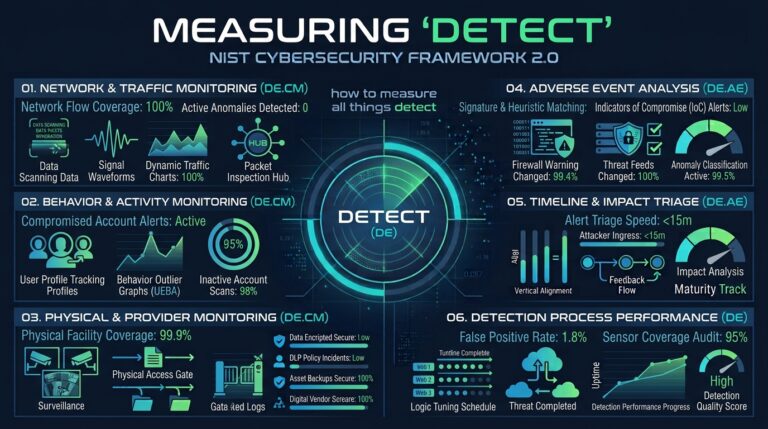
Security analysts must utilize platform-specific diagnostic tools and telemetry to identify indicators of compromise (IoCs):
| Platform | Monitored Telemetry & Detection Vectors | Standard Forensic Tools |
|---|---|---|
| Windows | AMSI execution trace, Registry run keys, Event Logs (Event ID 4688, 7045), Scheduled Tasks. | Windows Defender EDR, Sysinternals Suite (Autoruns, Process Explorer), PowerShell logging. |
| macOS | XProtect signatures, Gatekeeper policy logs, System Extension modifications, LaunchDaemons/LaunchAgents. | Console.app, spctl, Endpoint Security Framework (ESF) logs, launchctl list. |
| Linux | Auditd events, rootkit kernel hooks, unauthorized cron jobs, modified systemd services, open network sockets. | File Integrity Monitoring (FIM), auditd, ss/netstat, chkrootkit, ClamAV. |
5. Incident Response Workflow
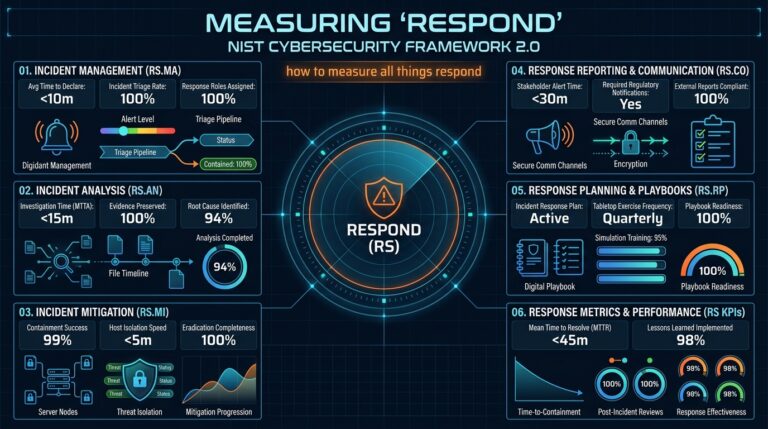
In the event of a confirmed or suspected malware detection, operators must execute the following sequential incident handling steps:
CRITICAL ACTION: Isolate the target host immediately upon suspecting ransomware or lateral movement malware. Do not restart the machine until memory artifacts are evaluated if required by digital forensics protocols.
Step 5.1: Isolation & Containment
- Disconnect physical network cables and disable Wi-Fi/Bluetooth interfaces immediately.
- Enforce network isolation via the central EDR console if physical access is restricted.
- Block command-and-control (C2) IP addresses and domains at the perimeter firewall.
Step 5.2: Identification & Analysis
- Identify the running process ID (PID) associated with the anomalous activity.
- Extract the file hash (SHA-256) of the malicious artifact and cross-reference against threat intelligence feeds.
- Locate parent and child processes to establish the initial execution path.
Step 5.3: Eradication
- Terminate the malicious process using administrative override utilities.
- Quarantine or purge the source binary files and dependent droppers.
- Remove associated persistence mechanisms (Registry entries, Scheduled Tasks, LaunchDaemons, cron jobs).
Step 5.4: Post-Cleanup Verification
Before returning an endpoint to the production network, perform the following verification checks:
- Persistence Audit: Inspect system startup locations to confirm no residual registry entries or scheduled scripts exist.
- Resource Baseline Verification: Confirm CPU, disk I/O, and RAM utilization return to standard baseline metrics while the device is idle.
- Socket Inspection: Audit active TCP/UDP connections to verify no outbound traffic connects to unauthorized external IPs.
- Service Integrity: Confirm local security services, Windows Defender, or EDR agents remain fully functional and enabled.
6. Disaster Recovery & System Rebuilding
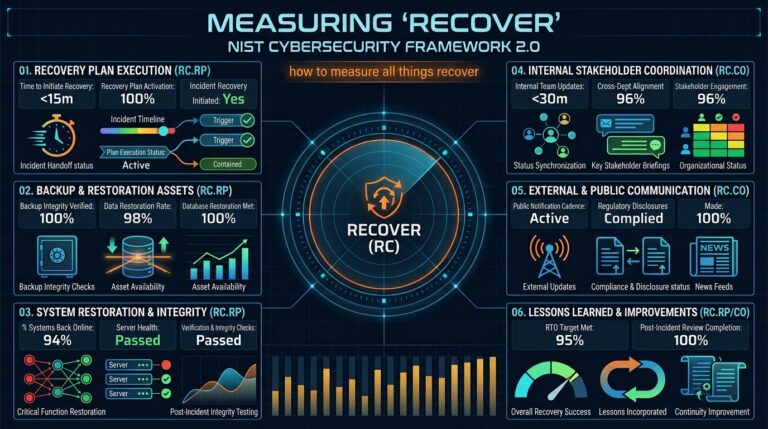
If an endpoint or server cannot be fully sanitized, suffers root-level kernel compromise, or undergoes bare-metal encryption, execute complete system recovery from offline backups.
6.1 The 3-2-1-1 Backup Architecture Baseline
All business-critical systems must maintain recovery assets adhering to the following structure:
- 3 Copies of Data: One primary production dataset and two distinct backup sets.
- 2 Media Types: Local disk storage array and secondary cloud/tape storage.
- 1 Offsite Copy: Geographically remote storage location.
- 1 Immutable/Air-Gapped Copy: Write-Once-Read-Many (WORM) or completely network-isolated storage disconnected from production active directory networks.
6.2 Complete Recovery Execution Steps
- System Storage Wipe: Perform a secure disk wipe/reformat of all storage volumes attached to the compromised system to purge partition structures and malicious code.
- Clean OS Installation: Deploy a fresh OS image directly from a verified, golden master media source.
- Patch Validation: Install all critical operating system security updates and security agent packages prior to joining broader production network segments.
- Data Restoration: Restore application data exclusively from a confirmed pre-incident, uninfected immutable backup image.
- Post-Restoration Audit: Conduct a full EDR scan and security posture check prior to returning the system to active service.